
The Inland Revenue Board of Malaysia (LHDN) recently reminded taxpayers to ensure that their Business Registration Number (BRN) in MyTax / HASiL is updated to the latest registration format to avoid e-Invoice validation and rejection issues.
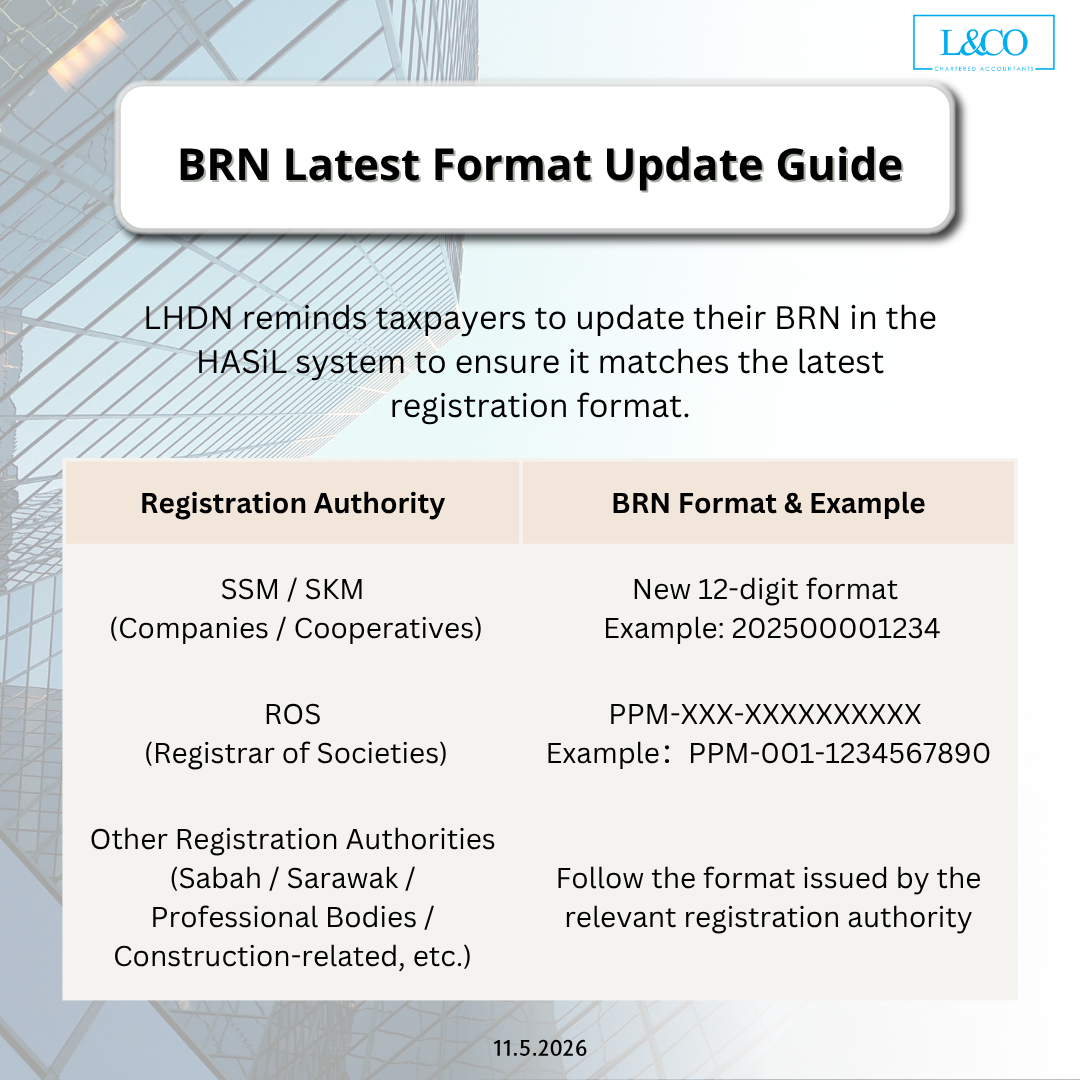
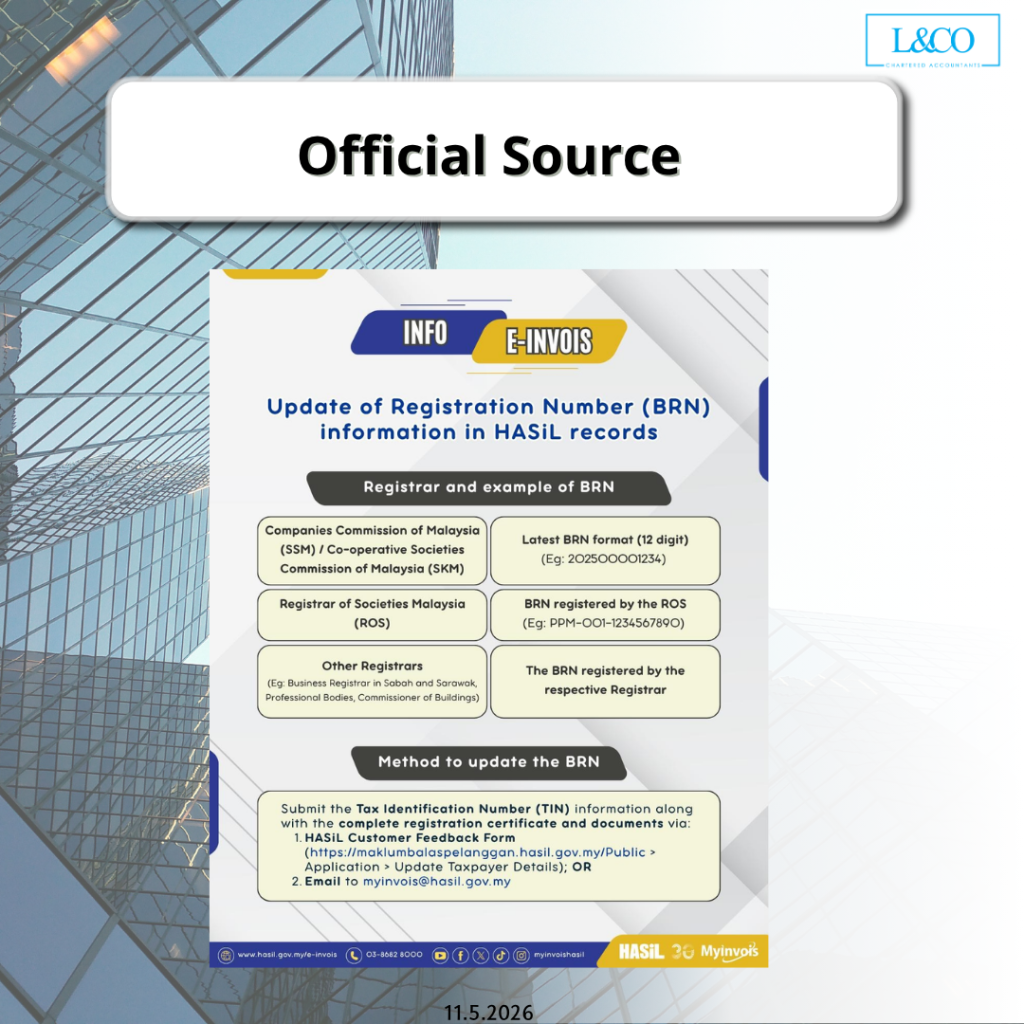
BRN Latest Format Update Guide
LHDN reminds taxpayers to update their BRN in the HASiL system to ensure it matches the latest registration format.
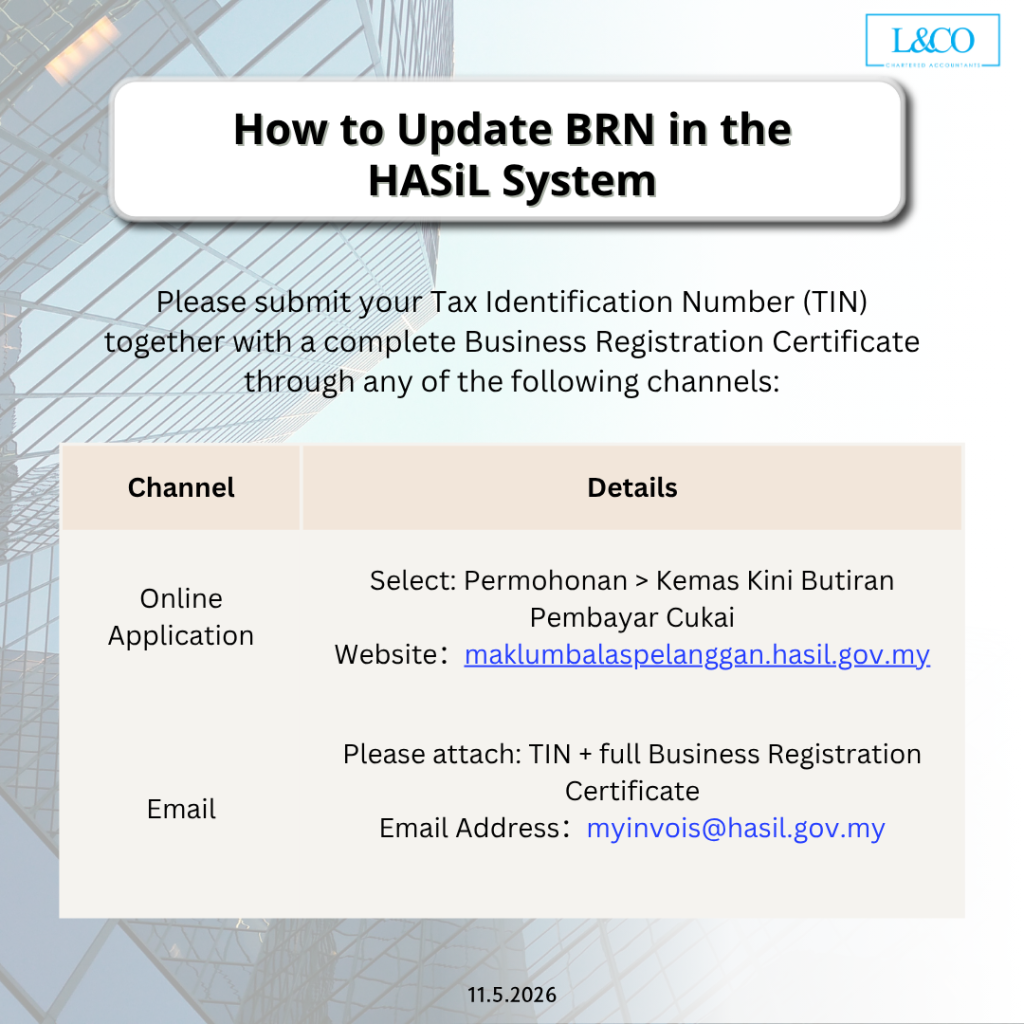
How to Update Your BRN?
You may update your BRN through the following methods:
1.Submit via the HASiL Customer Feedback Form
2. Email to: myinvois@hasil.gov.my
Outdated BRN Information May Cause:
- e-Invoice rejection
- Invalid taxpayer information
- BRN verification failure
- Disruption in e-Invoice submission
Businesses are encouraged to verify and update their BRN information as soon as possible to ensure a smooth e-Invoice submission process. Refer to the attached image for more details.
 (201706002678 & AF 002133)